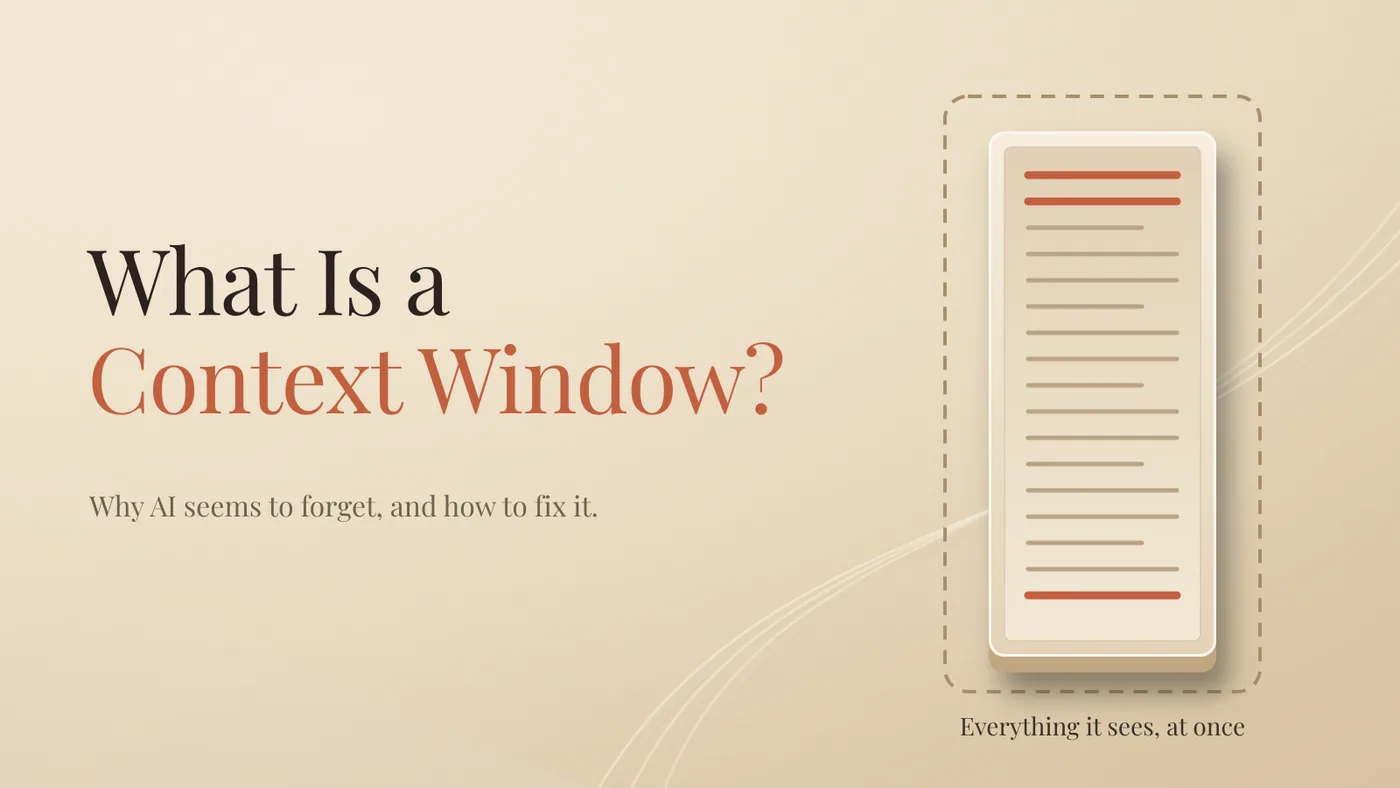
The AI didn't forget your rule. It reread it, buried under everything else.
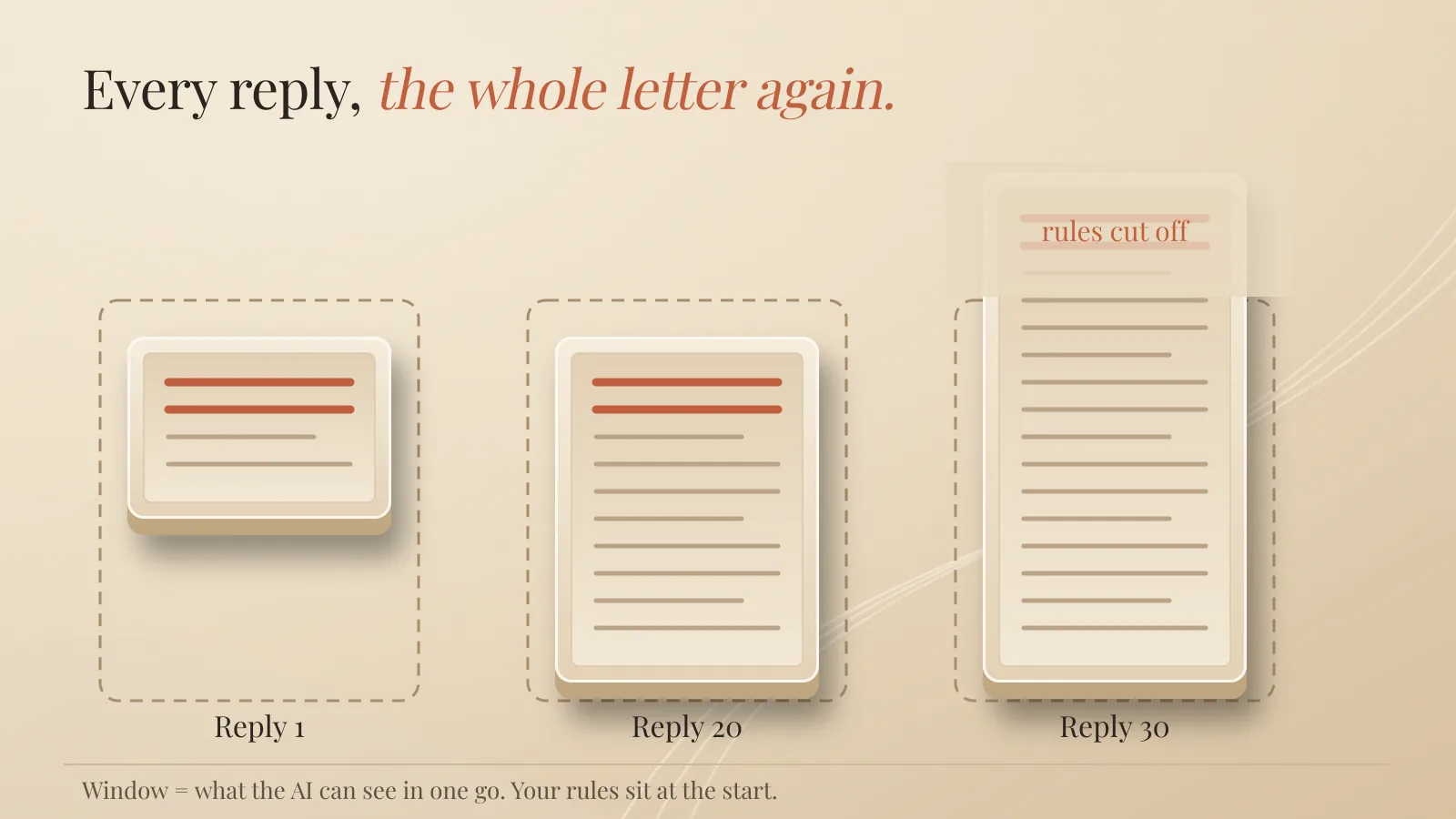
Every time you send a message, the app sends the model the whole conversation again, from the top. The model has no memory between replies. It only knows what's in that one big package. The context window is the maximum size of that package.
Once you see that, "it forgot" becomes a housekeeping problem.
Why does AI "forget" what you told it earlier in a chat?
Because your instruction either fell out of the package or got buried in the middle of it. The model itself is usually fine.
Let's keep it simple and take one job.
This is a made-up example, to show the mechanism. Not a story from my own business.
You sell kitchen products online. You open a chat and paste your rules: European English, no health claims, never promise delivery in under two weeks. Then you work through 40 product descriptions, one by one.
The first 20 are perfect.
Around number 30, the AI writes "arrives in days" and "boosts your immune system". You never asked for that. It feels like the AI stopped listening.
What actually happened is less dramatic. Your rules are now one small paragraph at the start of a very long conversation. Either they're still there, buried, or they got trimmed to make room. Either way, they lost.
What is a context window, in plain words?
It's everything the model can see at once when it writes one reply. Your messages, its own earlier answers, uploaded files, hidden app instructions, results from tools. All of it counts, and it's measured in tokens.
Tokens are pieces of words. OpenAI's rule of thumb is that 100 tokens is roughly 75 English words.
The model is stateless. It doesn't keep a running conversation in its head. The AWS Generative AI Atlas explains it well: all the information has to be in the prompt, and the prompt has to fit inside the window. So the app rebuilds and resends the full package for every single reply.
Think of it as a letter. Each time, the model gets one long letter with the whole story so far. It reads the letter, writes back, and forgets the letter existed. Next turn, a slightly longer letter.
The context window is the maximum length of that letter.
How big is a context window today?
Big. The leading models now advertise windows of hundreds of thousands of tokens, and about a million on many of them. Early models worked with a few thousand.
Two caveats.
The app may give you less. The chat app on your plan doesn't always get the same window as the developer version. Check before you trust the headline.
Size is capacity, not quality. A huge window means more fits. It doesn't mean the model reads all of it equally well.
Does a bigger context window fix the problem?
No. More room doesn't mean better reading.
Researchers have measured this. The paper "Lost in the Middle" (Liu and others, 2024) found that models do best when the important information is at the start or the end of a long input, and noticeably worse when it sits in the middle. Chroma tested 18 models and called the effect context rot: the longer the input, the less reliable the output, even on simple tasks.
Back to the kitchen products. By description 30, your rules sit far away at the start, behind a long pile of old drafts.
Anthropic describes context as an "attention budget". Every extra token spends a bit of it.
Is a context window the same as AI memory?
No. Three different things get mixed up here.
The context window is this one conversation. Start a new chat and it's empty again.
Chat history is your archive of old conversations. It sits in a list. The model doesn't read it unless the app pulls something in.
Saved memory is a short set of notes about you that some apps keep and quietly add to new chats. Your name, your job, how you like answers.
None of this means the model learned you. The model isn't retrained on your chats. Memory is just text added to the letter before the model reads it. It takes up room in the window like everything else.
One practical warning. In some apps, deleting a chat doesn't delete the memories saved from it. If something must go, delete it in the memory settings.
How do you rescue a chat that has drifted?
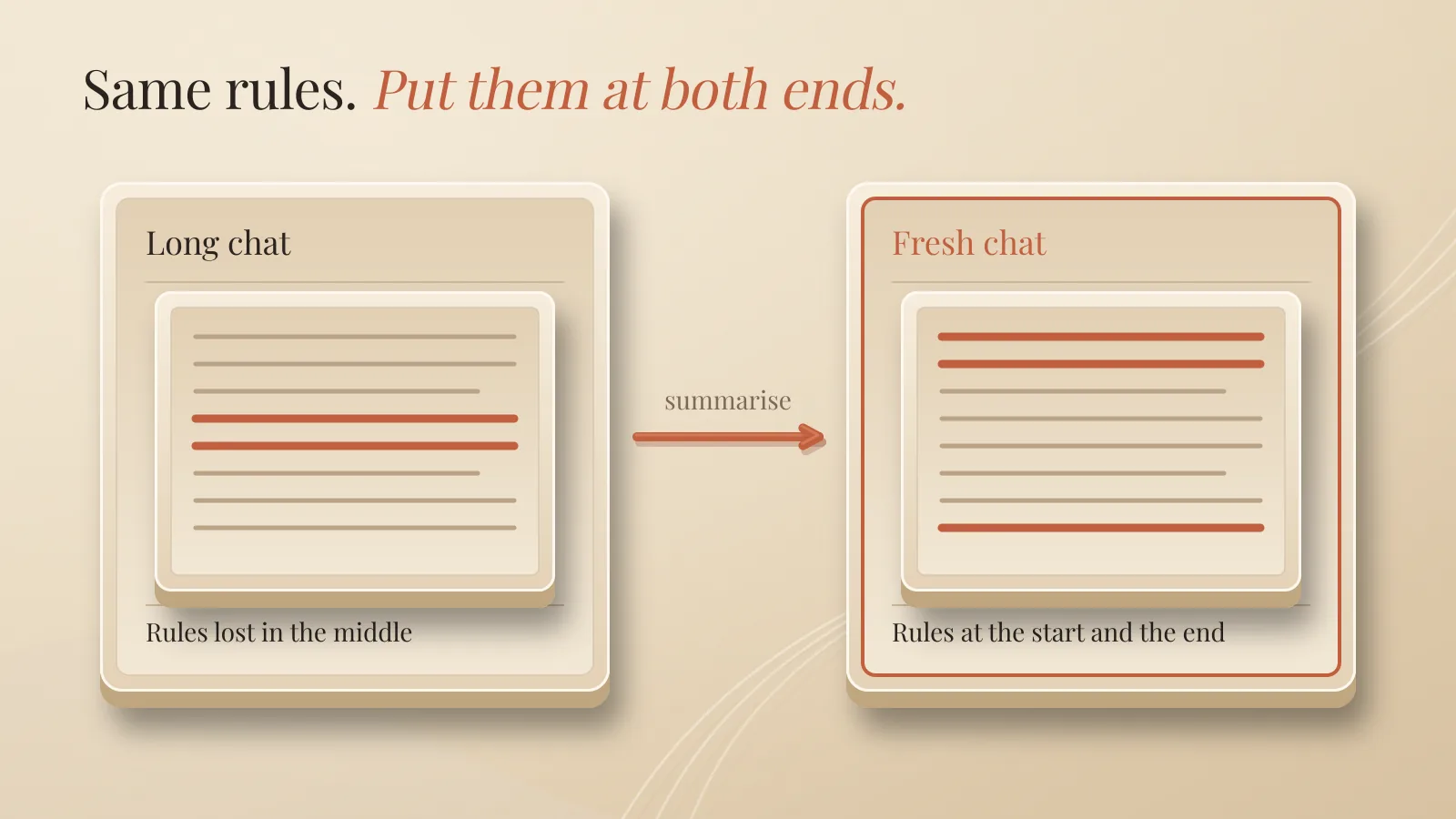
Summarise it and start fresh. It takes about five minutes.
Step one. In the drifting chat, ask: "List every rule I gave you and every decision we made. Short bullets."
Step two. Read it. Fix anything wrong or missing. In our example, you'd check that "no health claims" and "two weeks minimum" are both on the list.
Step three. Open a fresh chat. Paste the cleaned list at the top.
Step four. Paste only what's needed next. Description 31, not the 30 before it.
Step five. End your message with the two rules that matter most, repeated in one line. The research favours the edges. Use both.
Short letter, rules at both ends. The drift is gone.
My rule is simple: when answers start drifting, I try a summary and a fresh chat before I try a bigger model.
How do you stop it happening again?
Keep the package small and clean.
One task, one chat. Don't run five projects in the same thread.
Paste the part, not the pile. The relevant section of a document, not the whole folder.
Keep stable rules outside the chat. Use project or custom instructions if your app has them, so you don't retype them.
Keep a decisions note. A short file you paste in when you start fresh.
Check memory once a month. Ask "What do you remember about me?" Delete what's wrong or outdated. A wrong note quietly skews every answer.
When your information is too big for any window, you need a system that fetches the right pieces per question. That's retrieval, a topic on its own.
Quick answers
What happens when a chat hits the context limit?
The app trims old messages, summarises them, or refuses. Shorten the input, split the work, or restart with a summary.
Why does ChatGPT or Claude ignore my instructions in a long chat?
Usually your instruction is buried in the middle or was trimmed. Restate it at the end, or start fresh with a summary.
Is a context window the same as memory?
No. The window is this conversation. Memory is saved notes that get added to new conversations.
Does a bigger context window give better answers?
Not by itself. It gives more room. Models still read the middle of long inputs worst.
The takeaway
The AI reads the whole letter every time. Your job is to keep the letter short.
New task, new chat. And keep your rules at the start and the end.
Further reading: AI Tokens Explained: What You're Actually Paying For and Why AI Hallucinates and How to Catch It
About Me

I’m Laurent Terrijn, an entrepreneur and engineer. I see myself as a systems engineer and business builder: I build the systems businesses run on. I’m also a nerd who somehow ended up speaking ten languages. I love learning, and that curiosity pulled me deep into personal branding and artificial intelligence. On the side, explaining AI has become a passion project. I enjoy taking something that sounds complicated and making it simple enough for busy business people to understand. I do it out of curiosity, and because I like sharing what I find out. Read more on www.laurentterrijn.com
Disclaimer
I used AI to help with drafting, proofreading and checking this article.
Sources
- Liu et al., Lost in the Middle: How Language Models Use Long Contexts (TACL, 2024)
- Chroma, Context Rot: How Increasing Input Tokens Impacts LLM Performance
- Anthropic, Effective context engineering for AI agents
- AWS Generative AI Atlas, Context windows
- OpenAI, What are tokens and how to count them
- Claude Docs, Context windows
- OpenAI, ChatGPT pricing (context window per plan)
- OpenAI, Memory and new controls for ChatGPT