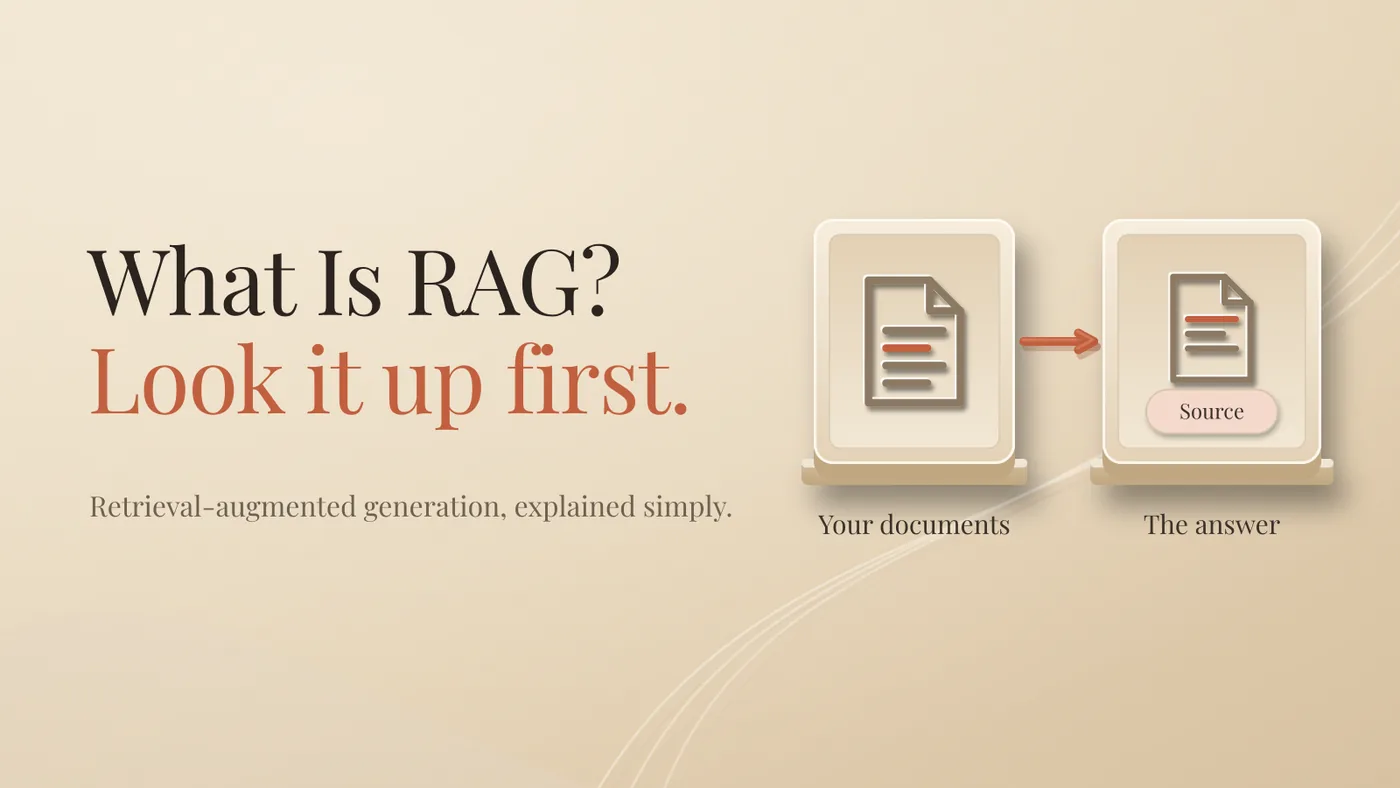
RAG means the AI looks it up first, then answers.
That's it. Instead of answering from what it remembers, the AI searches your documents, picks the passages that matter, and writes its answer from those. Ideally it also tells you where it found them.
The name sounds technical. The idea is something every good employee already does.
What is RAG in plain words?
Retrieval-augmented generation is a setup where the AI retrieves information from a source outside the model, like your own files, and uses it to write the answer. Retrieval is the looking up. Generation is the writing.
Let's keep it simple and take one question.
This is a made-up example, to show the mechanism. Not a story from my own business.
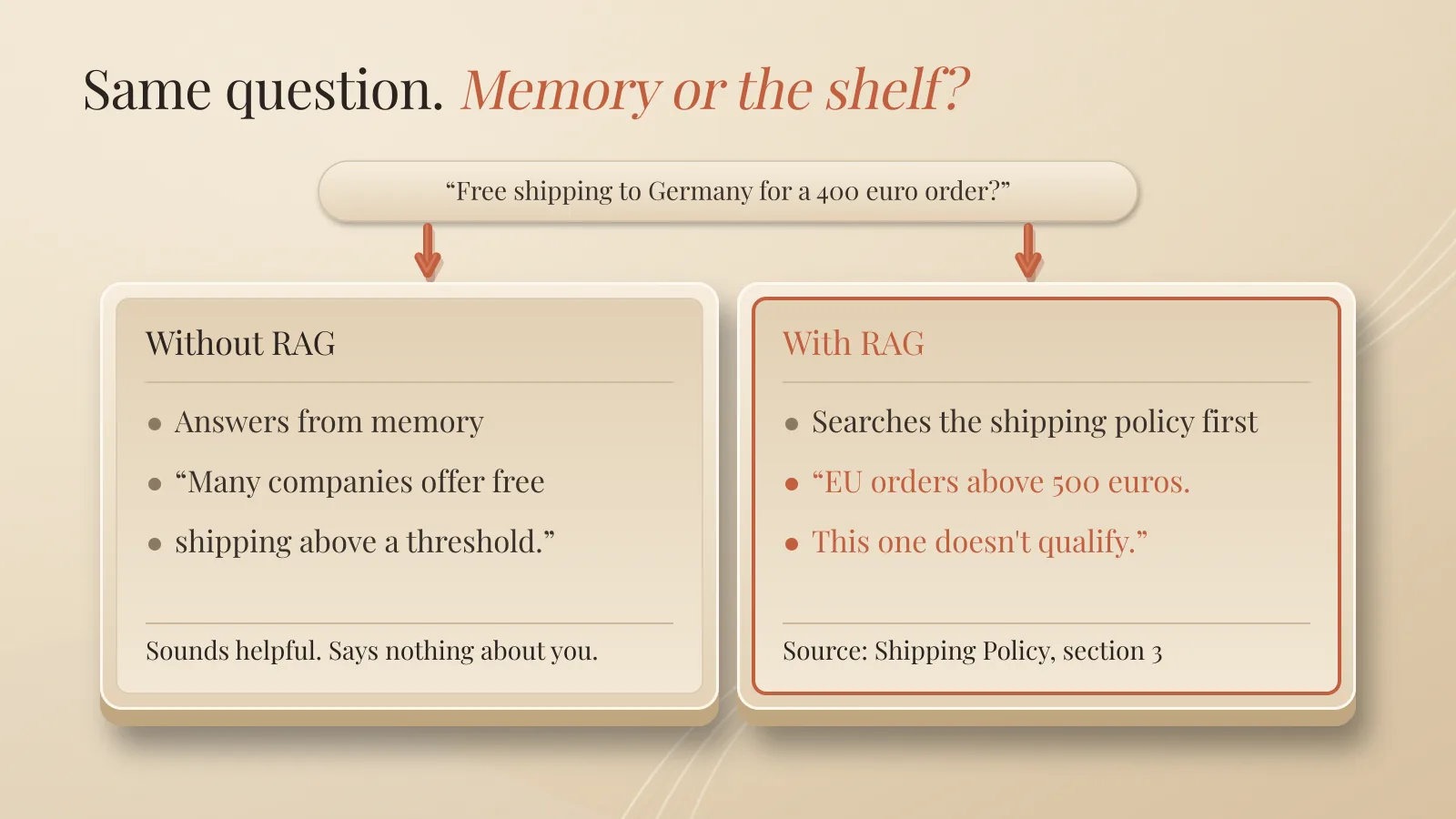
You run a small wholesale company. A new sales assistant asks the company AI: "Can I give free shipping to a customer in Germany who orders for 400 euros?"
Without RAG, the AI has never seen your shipping policy. So it answers from general knowledge. Something like "many companies offer free shipping above a threshold." Sounds helpful. Tells you nothing about your company.
With RAG, the AI first searches your documents. It finds the shipping policy, the paragraph about EU orders. Then it answers: "Free shipping applies to EU orders above 500 euros. This order doesn't qualify. Source: Shipping Policy, section 3."
Same model. One answered from memory. The other went to the shelf.
Why doesn't the AI just know your business?
Because it was never trained on your files. A language model learns from a huge amount of public text, then it's frozen. Your price list, your contracts and your handbook were never part of it.
So you have three ways to give it your knowledge.
Paste everything into the chat. Fine for one document, one time. For a whole company, it's expensive and slow. Every question carries the full pile, and models read the middle of long inputs worst. That's a topic on its own.
Fine-tune the model. This changes how the model behaves through extra training. Good for style and format. Bad for facts that change. New price list, new training round.
Use RAG. Keep your documents where they are. Fetch only the relevant pieces per question. When the shipping policy changes, you update one document. AWS describes this as a cost-effective way to use your own knowledge without retraining the model.
For facts that change, RAG usually wins. Fine-tuning is for something else, and I'll leave it for another article.
How does RAG work, step by step?
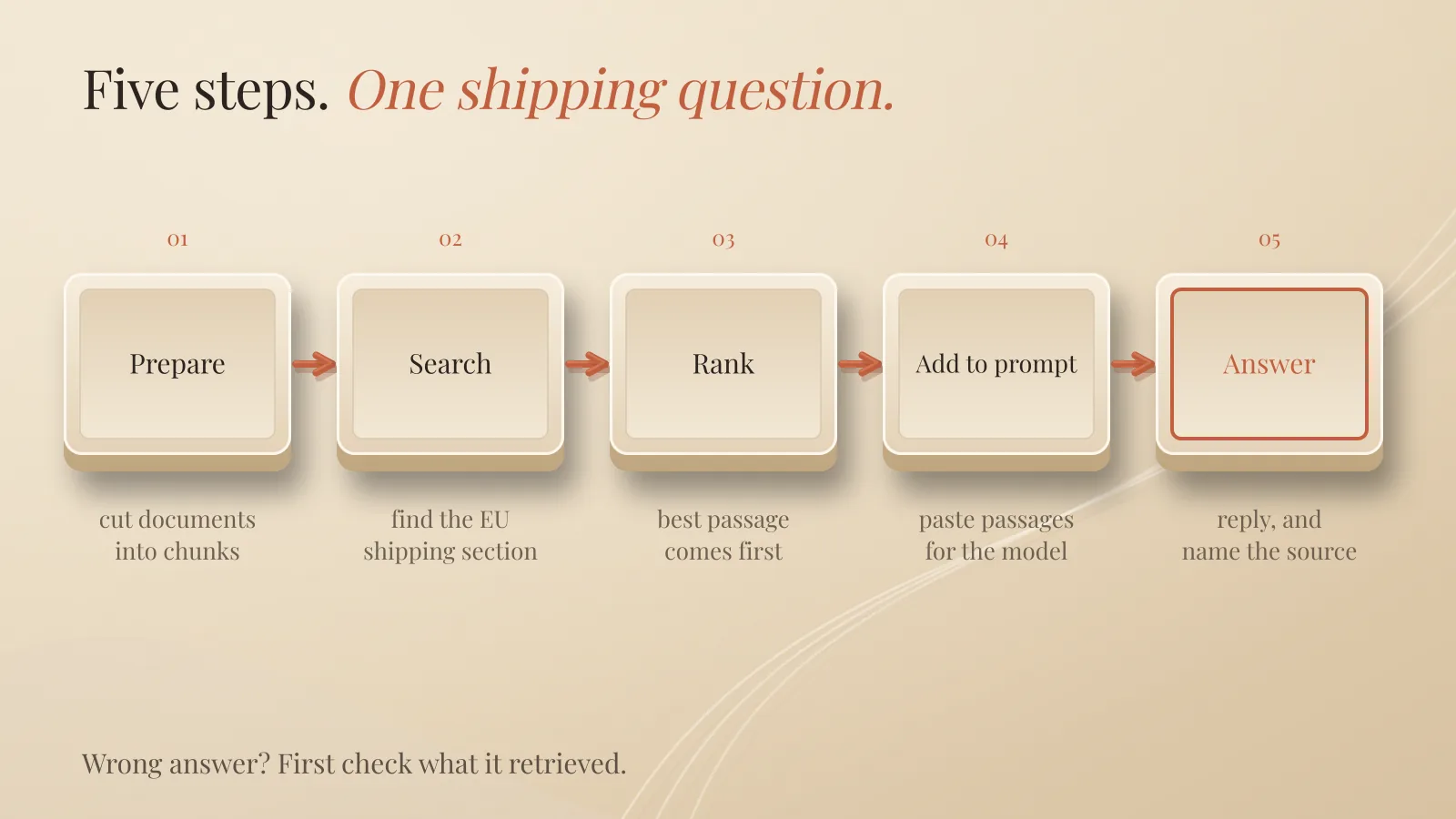
In five steps. Let's follow the shipping question through.
Prepare. Before anyone asks anything, your documents get cut into small chunks. A paragraph, a section. Each chunk gets an embedding and goes into a searchable store.
Search. The question comes in. The system turns it into an embedding too, and looks for the chunks closest in meaning. The EU section of the shipping policy comes back near the top.
Rank. Some systems reorder the results, so the best passage comes first.
Add to the prompt. The system pastes the top passages in front of the model, with an instruction like "answer only from these passages and name the source."
Answer. The model writes the reply, with the citation.
The original RAG paper, by Lewis and colleagues in 2020, combined a language model with a searchable index of Wikipedia, in exactly this spirit. IBM and AWS describe the same basic flow today.
What is an embedding? Don't let the word scare you. It's a list of numbers that captures what a piece of text means. Texts that mean similar things get similar numbers. So "free shipping" and "we cover the delivery costs" end up close together, even with no matching words. That's how the search finds meaning, not just keywords.
What does RAG not fix?
Bad documents. RAG is only as good as what it finds.
Old documents give old answers. If last year's shipping policy is still in the folder, the AI can quote it with full confidence.
Duplicates confuse it. Three versions of the same policy, and the search may pick the wrong one.
Search can miss. If the right chunk isn't retrieved, the model can't use it. It answers from whatever did come back.
Permissions matter. If the salary sheet is in the same store as the shipping policy, someone may get answers from a file they should never see. Access rules have to be in the retrieval, not just in the folder.
Documents can be poisoned. A file can contain text written to steer the AI, like hidden instructions. If your AI reads documents from outsiders, treat that text as untrusted. This is called prompt injection.
When a RAG answer is wrong, my first check is simple: what did it retrieve? Most of the time the problem is there, not in the model.
Are you already using RAG?
Probably. Many everyday features follow the same pattern: look it up, then answer.
Tools that let you "chat with your PDF". Project folders in AI assistants where you add your own files. AI search that writes a summary with links to the pages it used.
Each product does it its own way. The pattern is the same.
How do you test RAG in a weekend?
Start small, and test before you trust it.
Saturday morning: one clean folder. Your FAQ, your current policies, your price list. Only the latest versions. Nothing else.
Saturday afternoon: 20 real questions. Questions your team actually asks, with answers you already know. Write the correct answer next to each one. This is your test.
Sunday morning: run them. Use a tool that shows its sources. For each question, check two things. Did it retrieve the right passage? Is the answer correct?
Sunday afternoon: fix the documents, not the AI. Most failures will point to a missing, outdated or badly written document. Fix that, then run the 20 questions again.
Before anyone else uses it, decide two things. Who updates the documents. Who may see which files.
Quick answers
Is RAG the same as fine-tuning?
No. RAG looks information up when you ask. Fine-tuning changes the model itself through training.
Does RAG stop hallucinations?
No. It lowers the risk, because the AI answers from real passages. Citations help you catch what slips through.
Do I need to be technical to use RAG?
Not to start. Many AI tools now let you add your own files and answer from them. Building your own system is a different story.
Does RAG train the AI on my data?
No. It only adds passages to the prompt. Whether your provider uses your data for training is a separate setting.
The takeaway
RAG doesn't make the AI smarter. It makes the AI check before it speaks.
Clean documents first. The model comes last.
Further reading: Why AI Hallucinates and How to Catch It and Can You Run AI Locally? Privacy and Data Explained
About Me

I’m Laurent Terrijn, an entrepreneur and engineer. I see myself as a systems engineer and business builder: I build the systems businesses run on. I’m also a nerd who somehow ended up speaking ten languages. I love learning, and that curiosity pulled me deep into personal branding and artificial intelligence. On the side, explaining AI has become a passion project. I enjoy taking something that sounds complicated and making it simple enough for busy business people to understand. I do it out of curiosity, and because I like sharing what I find out. Read more on www.laurentterrijn.com
Disclaimer
I used AI to help with drafting, proofreading and checking this article.